Steer
Running a driving school takes more than a group chat.
Steer gives supervisors a view of the whole school and instructors a clear view of the next lesson. Both work from the same records.
View tutorial/prototype (opens in a new tab)Discovery interviews, information architecture, interaction design and visual design across both platforms.
- My role
- Solo UX designer
- Duration
- 3 months
- Deliverables
- Web + mobile prototypes
- Status
- Concept project
I signed up to learn to ride.
The school wrote student records by hand. Updating a record was awkward. Finding an old one meant going back through the books. I wanted to see what happened when the same school had to keep track of lessons, fees, instructor assignments and vehicle maintenance.
Understanding the users
Primary research. I visited nine small to midsize driving schools and conducted ten semi-structured interviews with supervisors and instructors on site. I asked how they teach lessons, manage student and instructor records, and coordinate the work around each booking.
Percentages are reproduced from the project reference. The denominator for each question is undocumented, so these figures describe the research as reported.
Local context. India’s Parivahan Form 5 ties a driving-school training certificate to a register entry, vehicle class and training dates. That shows why an enrolment record needs to be easy to retrieve.
Parivahan • Driving certificate, Form 5
Product benchmark. Drive Scout already combines scheduling, payments and records. For Steer, the specific design opportunity was carrying the same lesson from the office schedule to the instructor’s next action and back.
Drive Scout • Driving school management software
Personas
Two composite personas capture where a manager and an instructor get stuck in the same workflow.

Monica Adams
Pain points. Schedules and payments are hard to reconcile. Changes take too long to reach instructors and students. Documents are easy to misfile, and vehicle maintenance adds another record to keep current.
Needs. A current schedule, a way to review student progress, and a shared place to coordinate changes and assignments.
What changed across the school today?

Rajesh Nair
Pain points. Schedules and cancellations arrive late. Paperwork takes time away from teaching. Progress is hard to track from one lesson to the next.
Needs. Current assignments, a quick way to record attendance and performance, and a direct channel for coordinating with managers and students.
Who am I teaching next, and where?
Affinity Mapping
I grouped the research by recurring problem and compared how each one showed up at the desk and in the car.
A schedule update should reach the instructor, and a lesson outcome should make it back to the office. Both teams needed to see the same record.
Themes
Problem Statement
A schedule change could live in a message while the office worked from an older copy. A fee or a missing document could go unnoticed until it delayed a lesson. Each task was manageable on its own. The failures happened between them.
How might we create a unified digital solution that streamlines communication, scheduling, record management and daily operations so managers and instructors can spend more time on their core work and improve the experience for students?
Digital Solutions
I designed two ways into the same system. Supervisors need to see the whole school at a glance. Instructors need to know what to do before the next lesson starts.
01 / Web application
For managers and owners at a desk. Track active lessons, maintain student and instructor records, monitor vehicles, and manage payments, documents and calendars.
02 / Mobile application
For instructors between lessons. Check the schedule, contact students, record attendance, see the route and log performance after class.
Where should a supervisor look first?
List-first
Familiar and quick to sort. Supervisors still asked where everyone was.
Session cards
Showed more per lesson. Location still took effort to piece together.
Map-first
Put active vehicles in view and kept lesson details within reach. I chose this direction.
I brought rough paper versions of all three to supervisors. Their first question was about location. I kept session status and reminders visible on the dashboard and put editing and history in detail views.
On mobile, the trade-off reversed. I chose one tap on Begin session from Session Details, where the instructor can already check the learner, time and vehicle. The prototype notes favour one tap. A false start still matters because it initiates tracking, so I’d measure start errors and recovery alongside speed.
User Flow
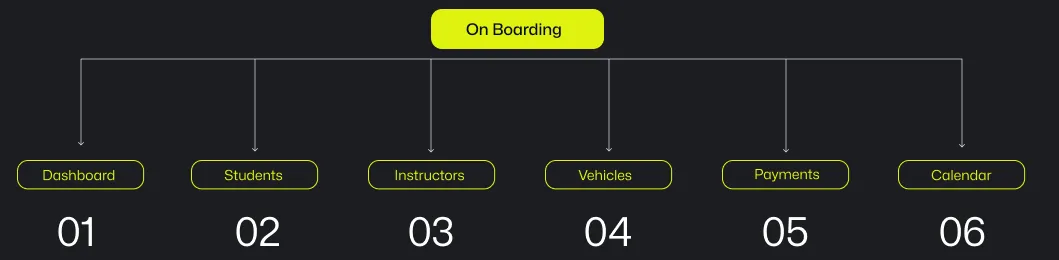
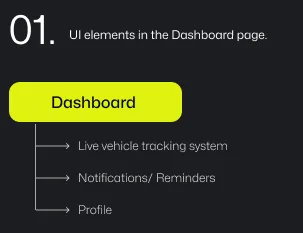
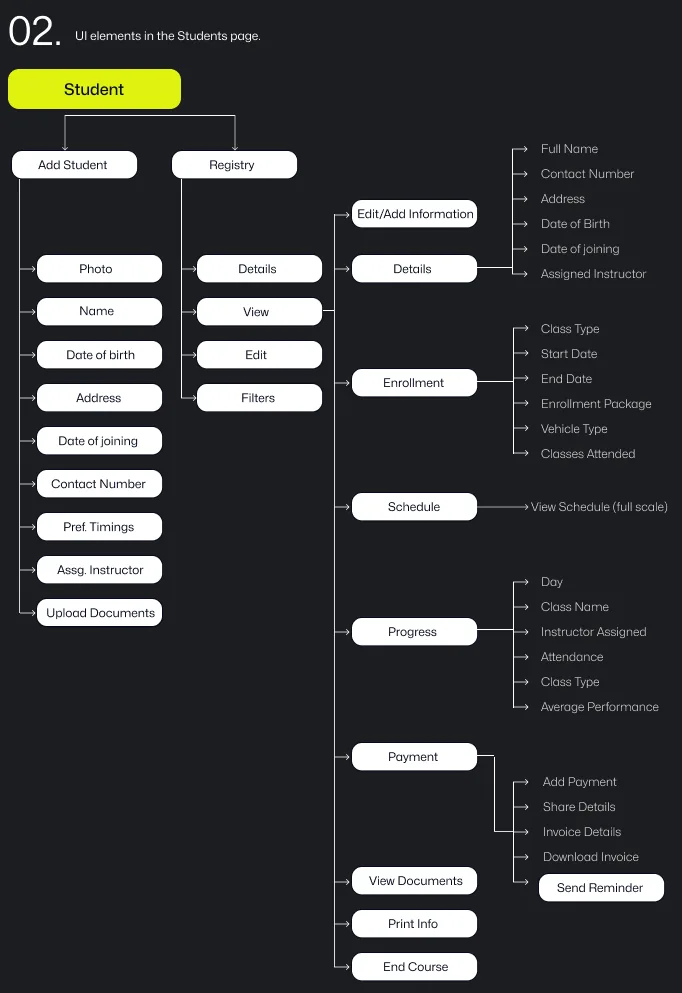
After onboarding, six destinations cover the supervisor’s day. The Dashboard and Students branches connect the live operation to each learner’s record.
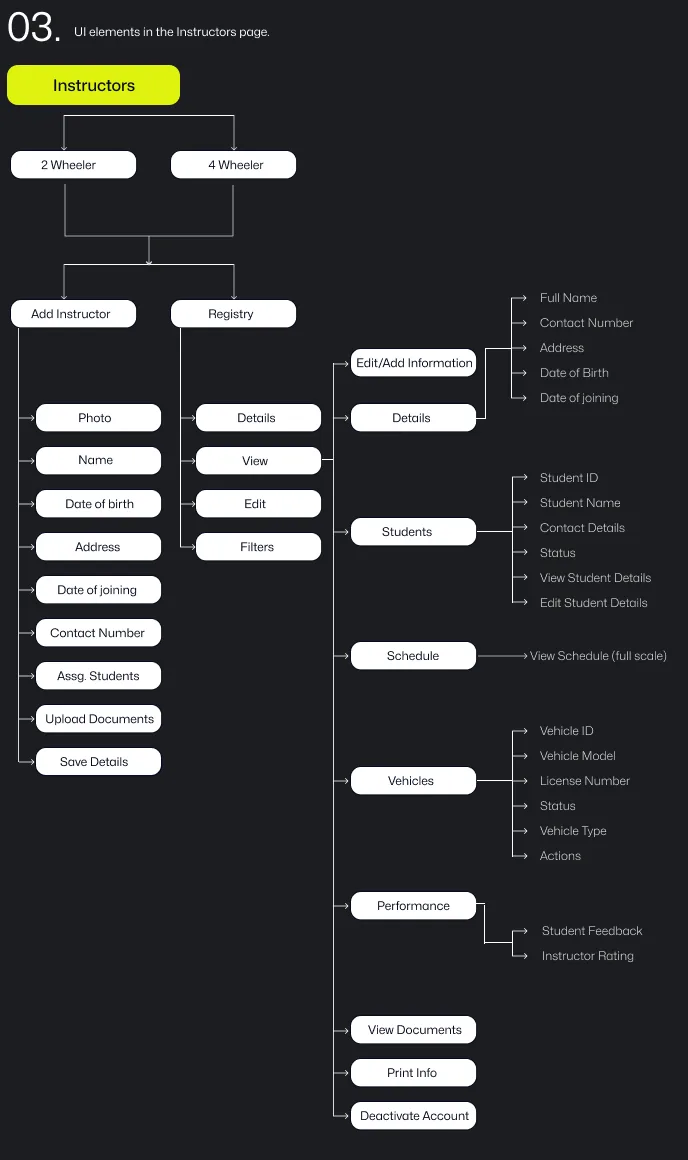
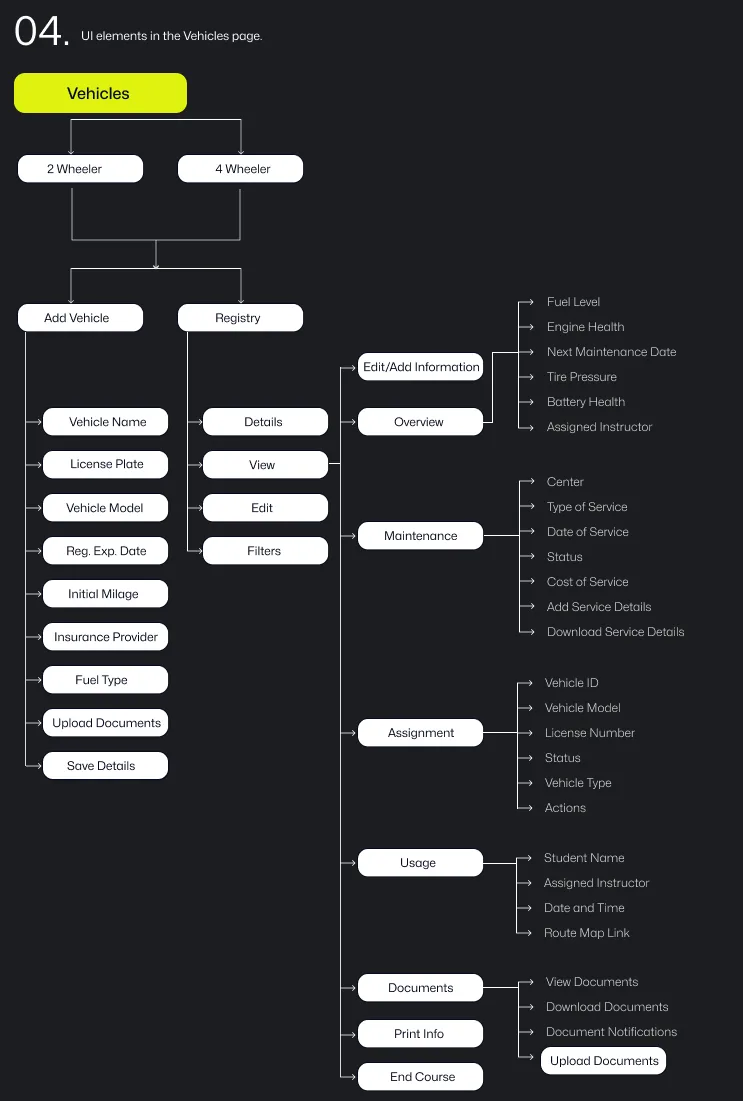
Instructors and Vehicles
Both branches split by two- or four-wheeler. Each keeps the add flow separate from the registry and detailed record.
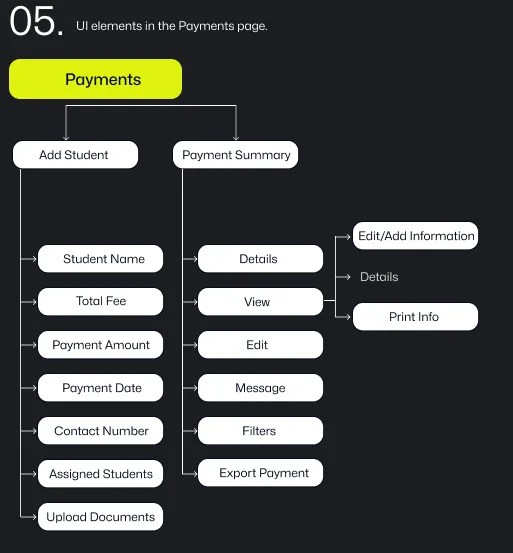
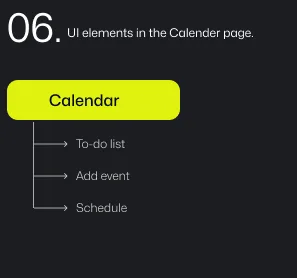
Payments and Calendar
The remaining branches give supervisors a place to close out fees and organise upcoming work.
A supervisor can update a lesson from a student’s schedule. The instructor’s schedule is intended to reflect the change, and the supervisor can follow up from the same student record.
Web App UI
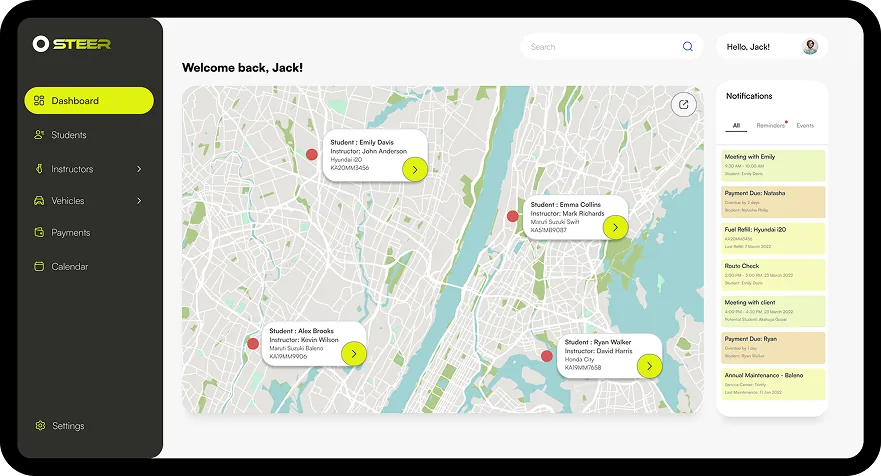
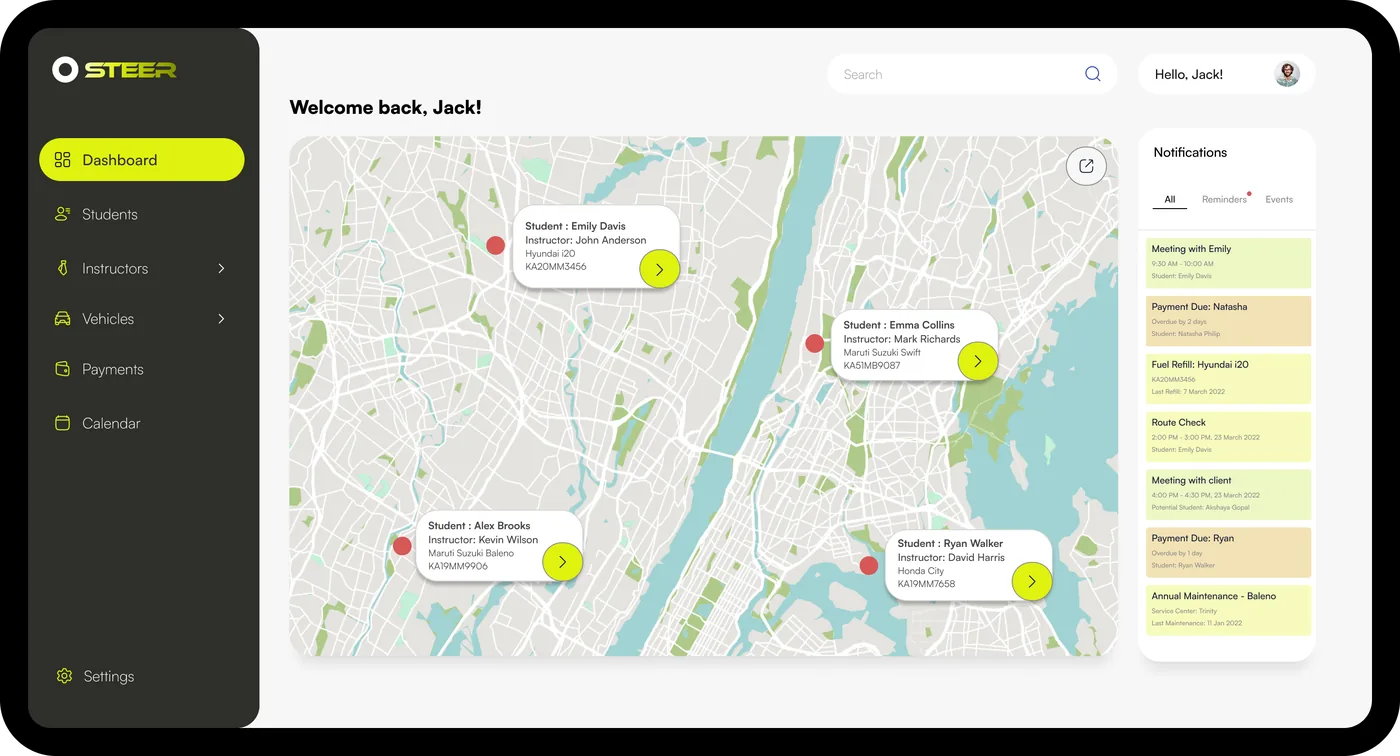
Where is everyone, and what needs attention?
The map pairs each active session with its student, instructor and vehicle. The notification panel keeps pending and upcoming tasks beside it, so a fee reminder or service date can surface while the supervisor is checking the day’s lessons.
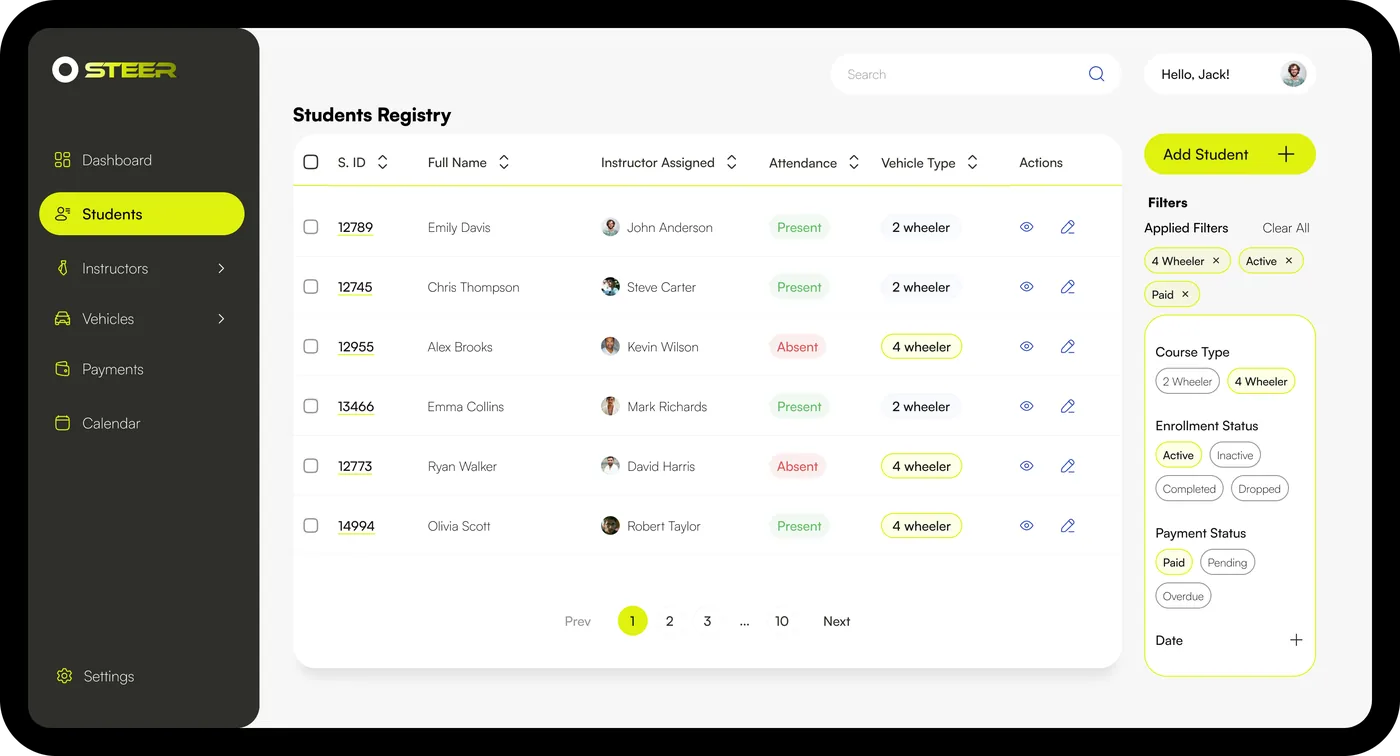
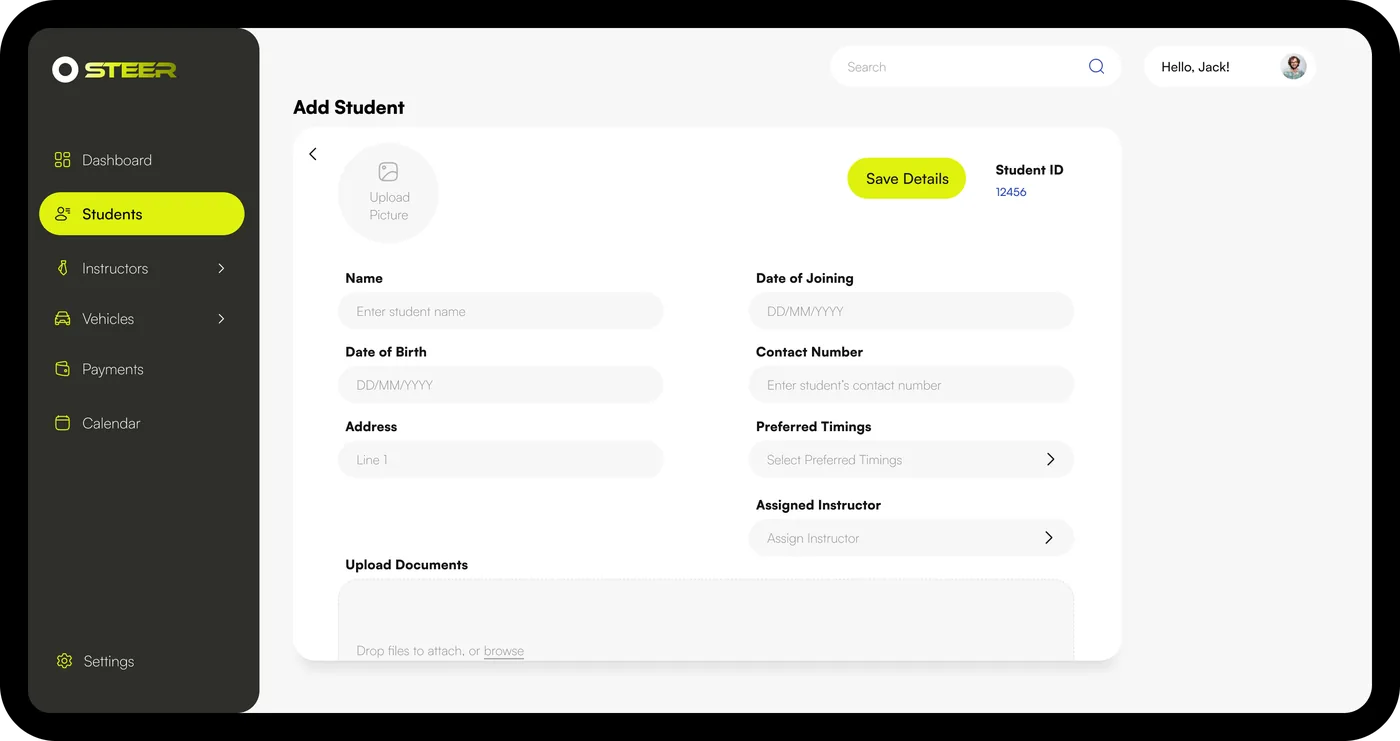
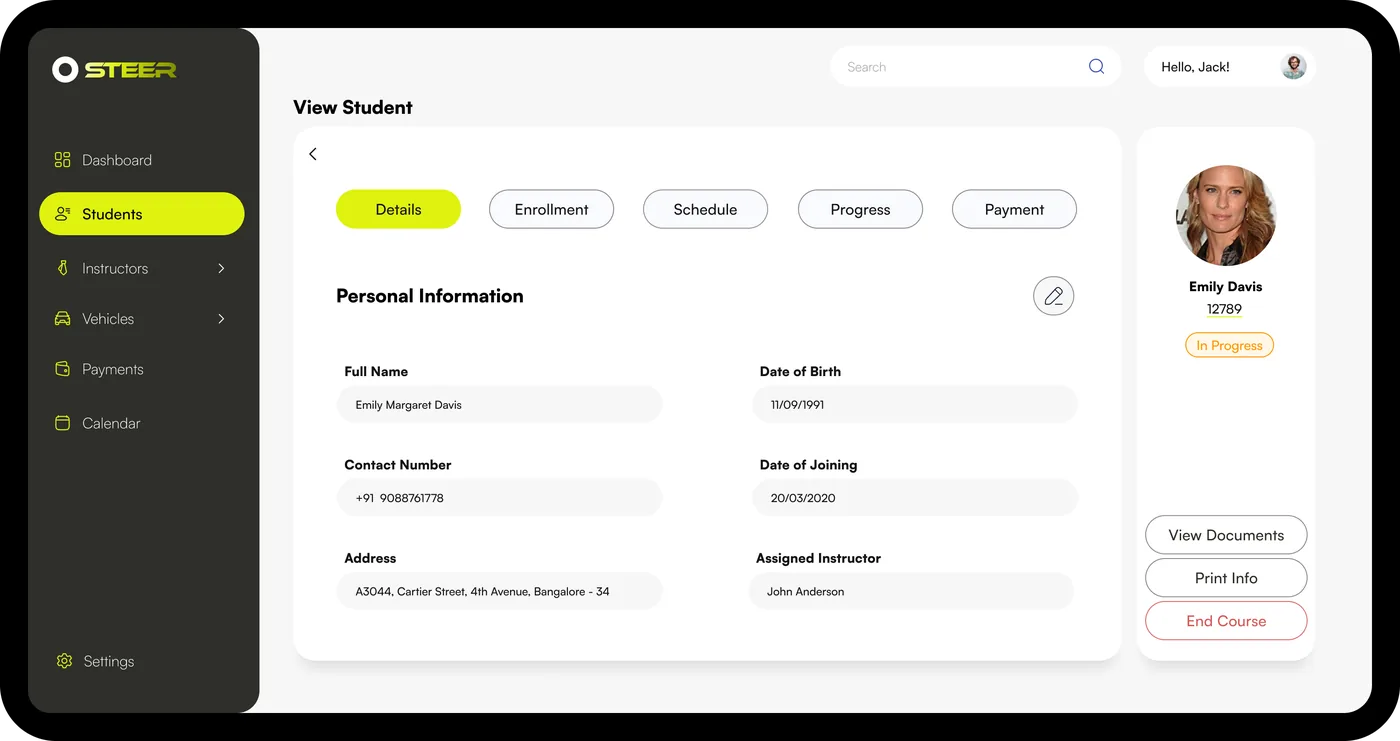
The Students Page
The registry can be sorted by student ID, name, instructor, attendance or vehicle type. Supervisors can narrow it by enrolment or payment status and date. Filters help answer a specific question without opening every student record.
Instructors and Vehicles
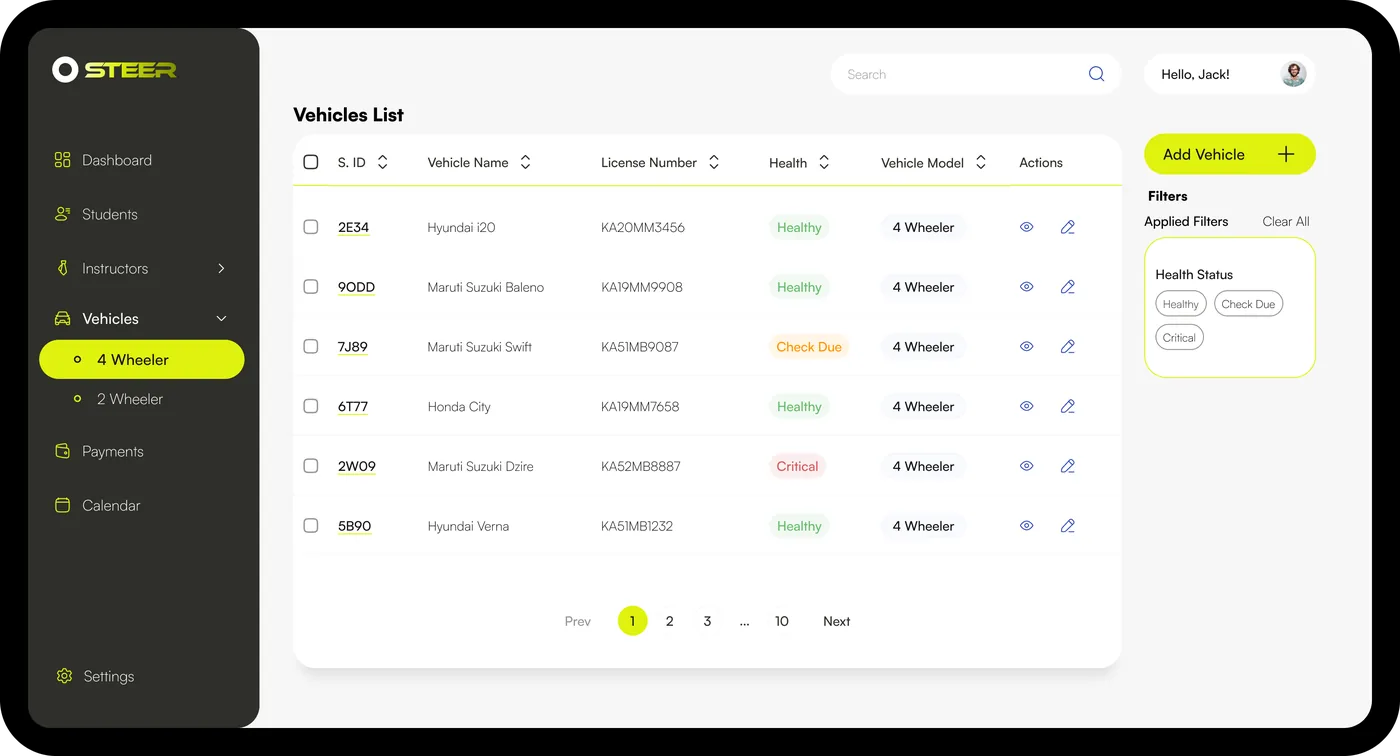
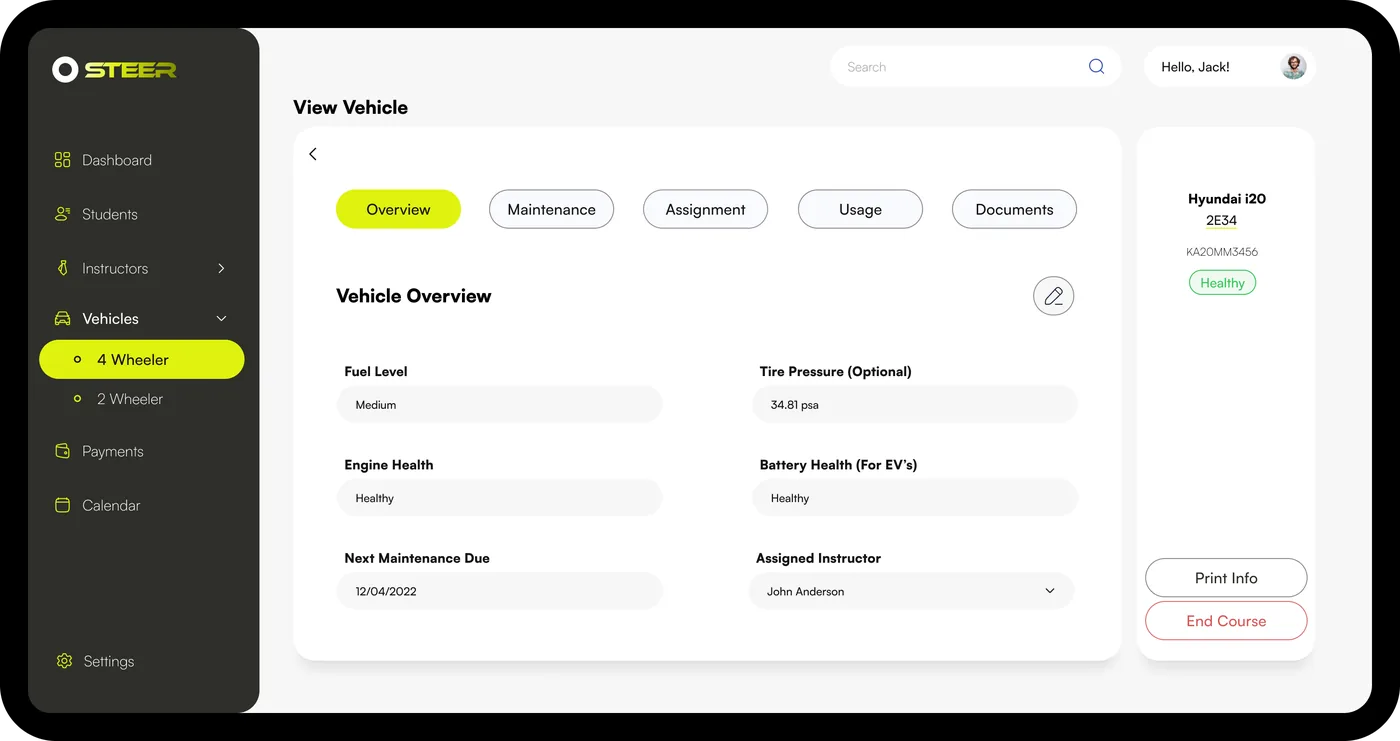
Separate two- and four-wheeler registries match how the schools organise instructors. A profile brings together assigned students, vehicles, schedules, performance and feedback.
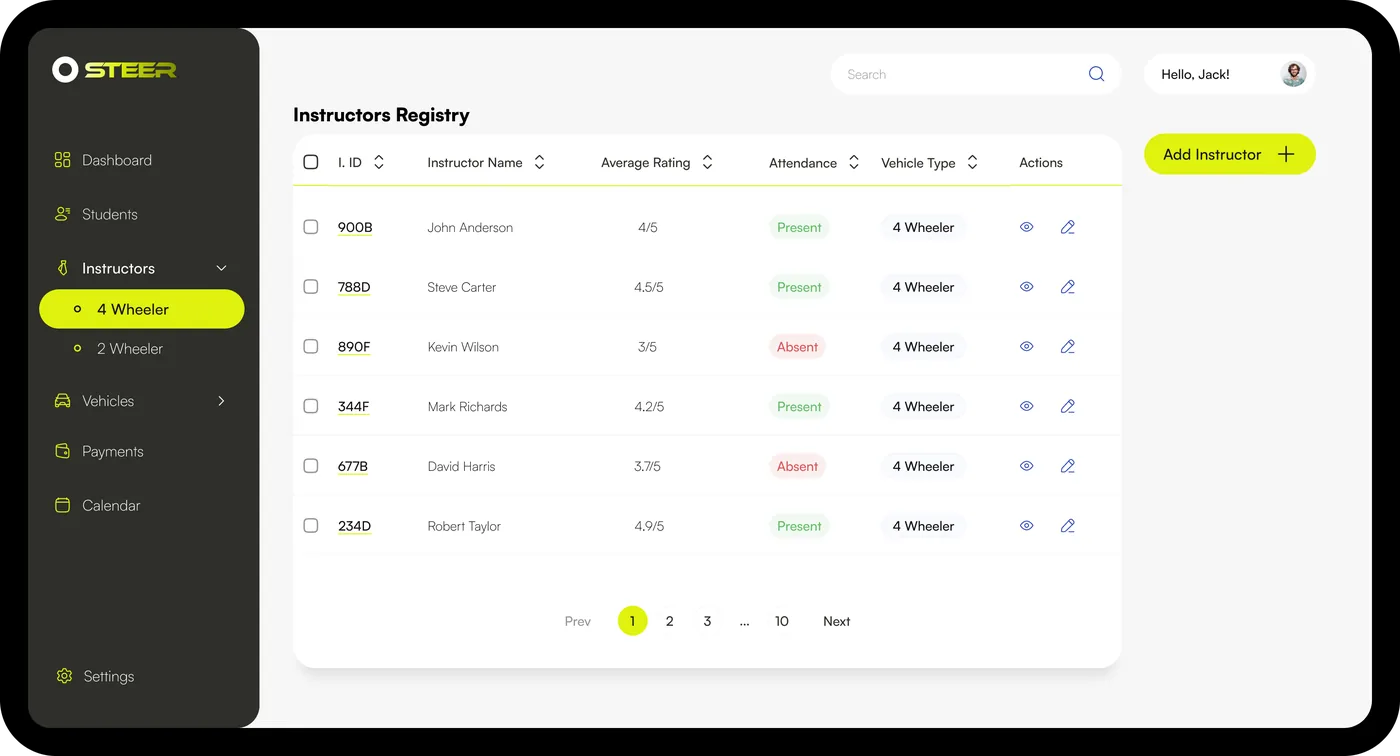
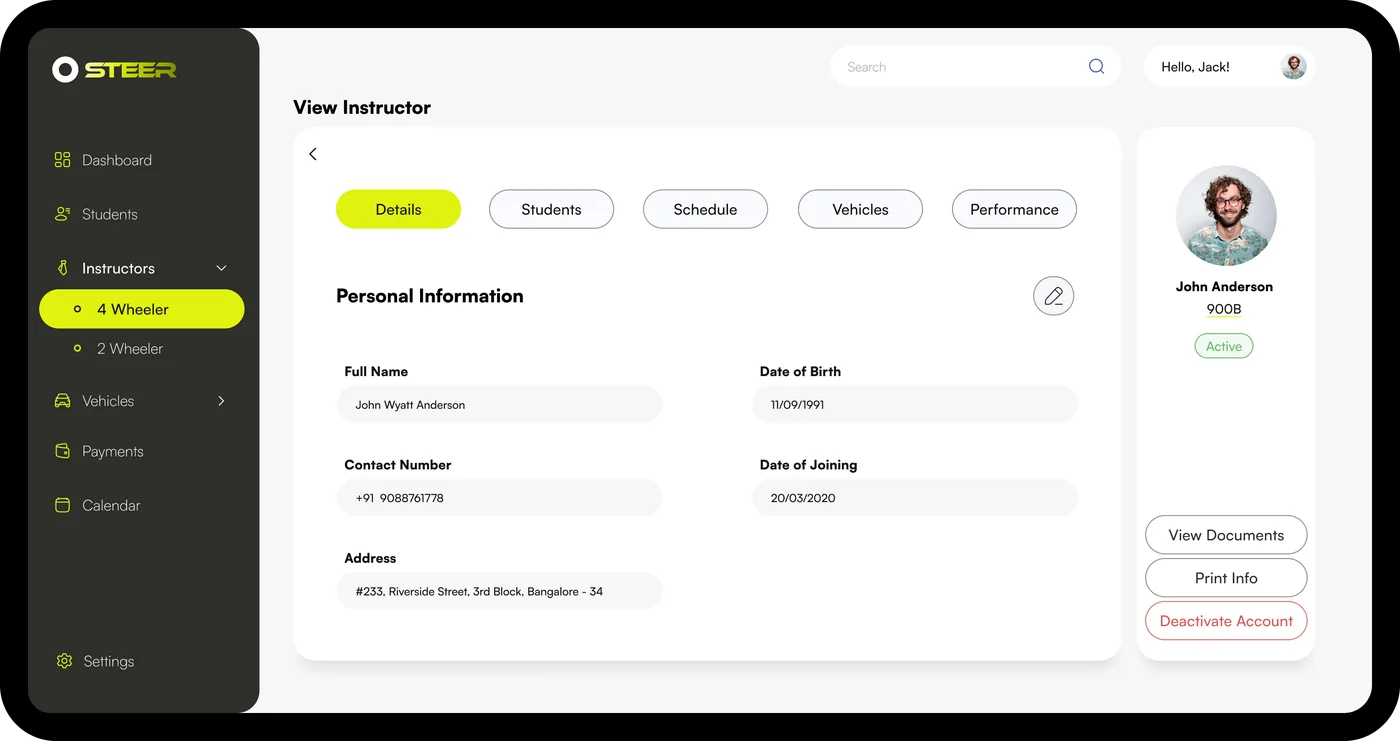
Filter two- and four-wheelers by health, then open the record for maintenance, assignments, usage and documents. Keeping these details together gives managers context before assigning a car or bike to a lesson.
Payments and Calendar
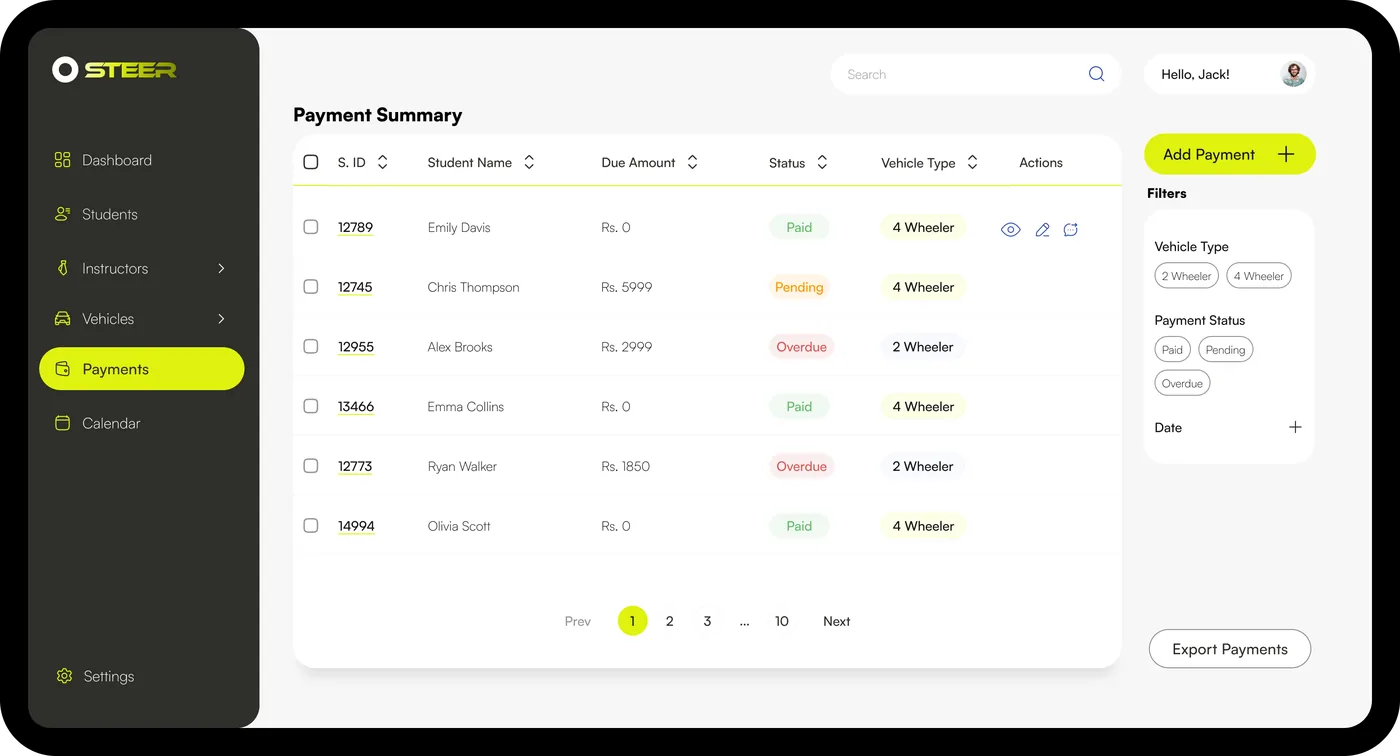
The payment summary puts the amount due beside each learner’s status. Supervisors can filter, record payments, follow up and export the summary.
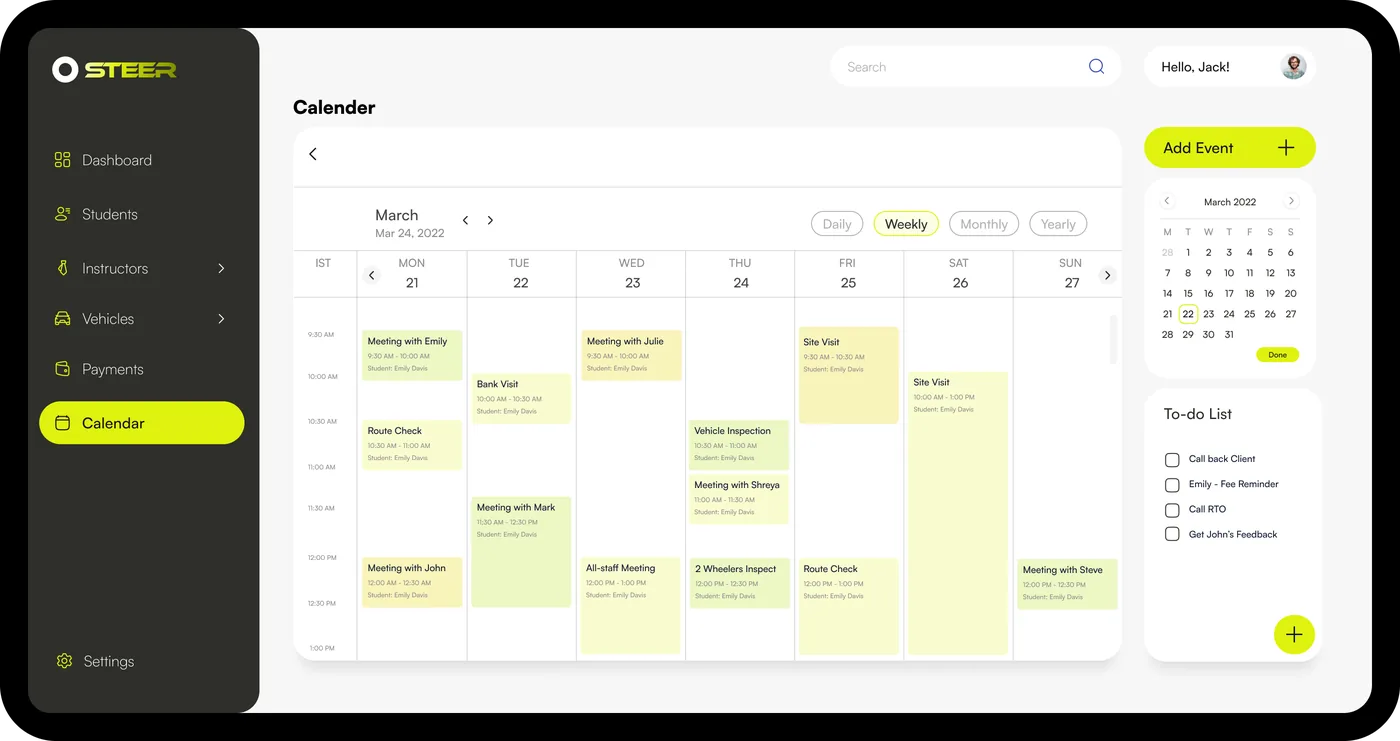
Supervisors can add events and switch between daily, weekly, monthly and yearly views. A to-do list keeps untimed work, such as following up on a document, beside the schedule.
User Flow
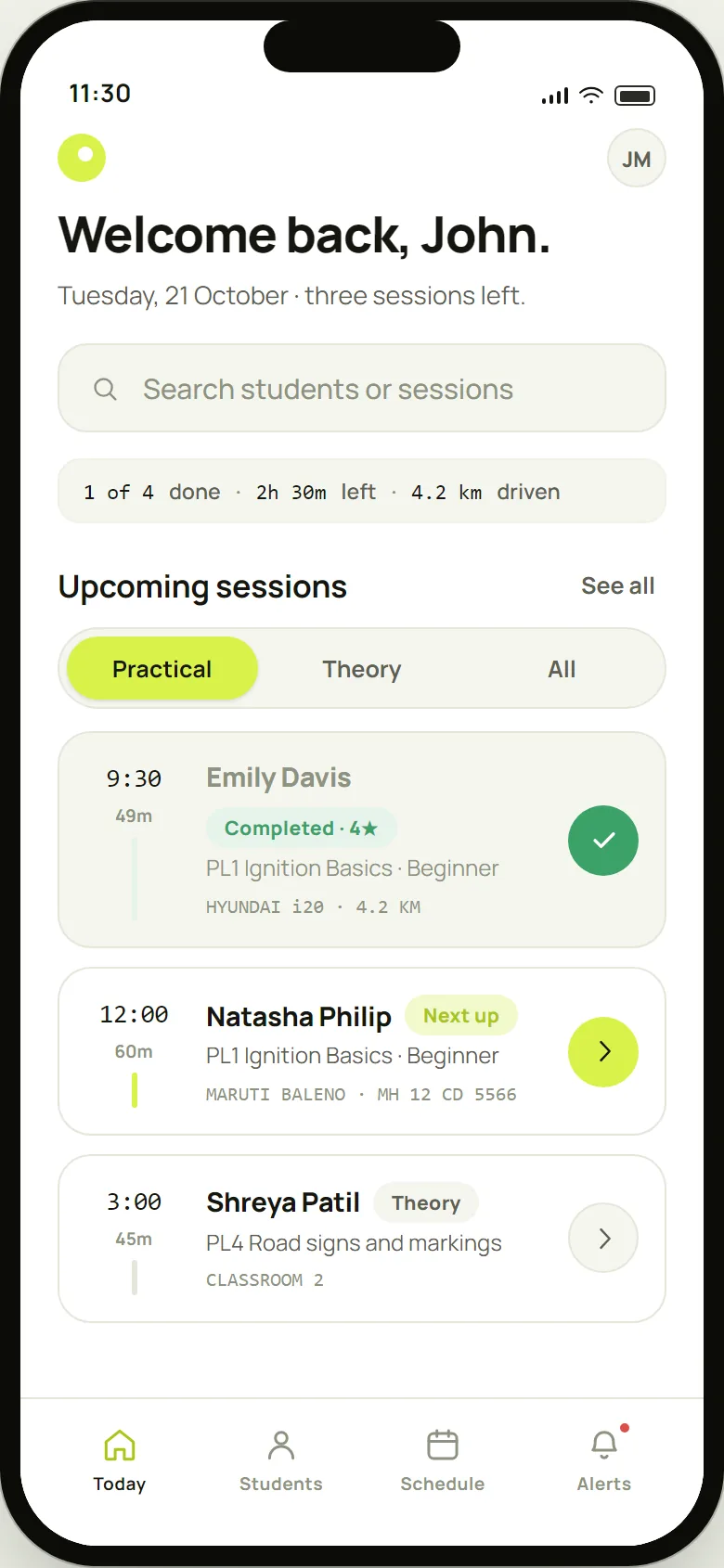
The instructor lands on Today. From there, they can check Students, Schedule or Notifications, or open the next lesson and record what happened.
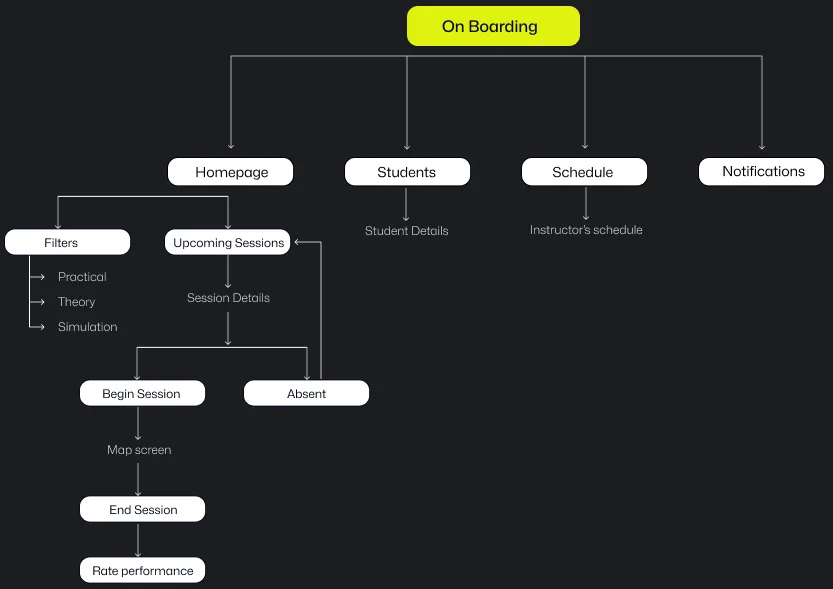
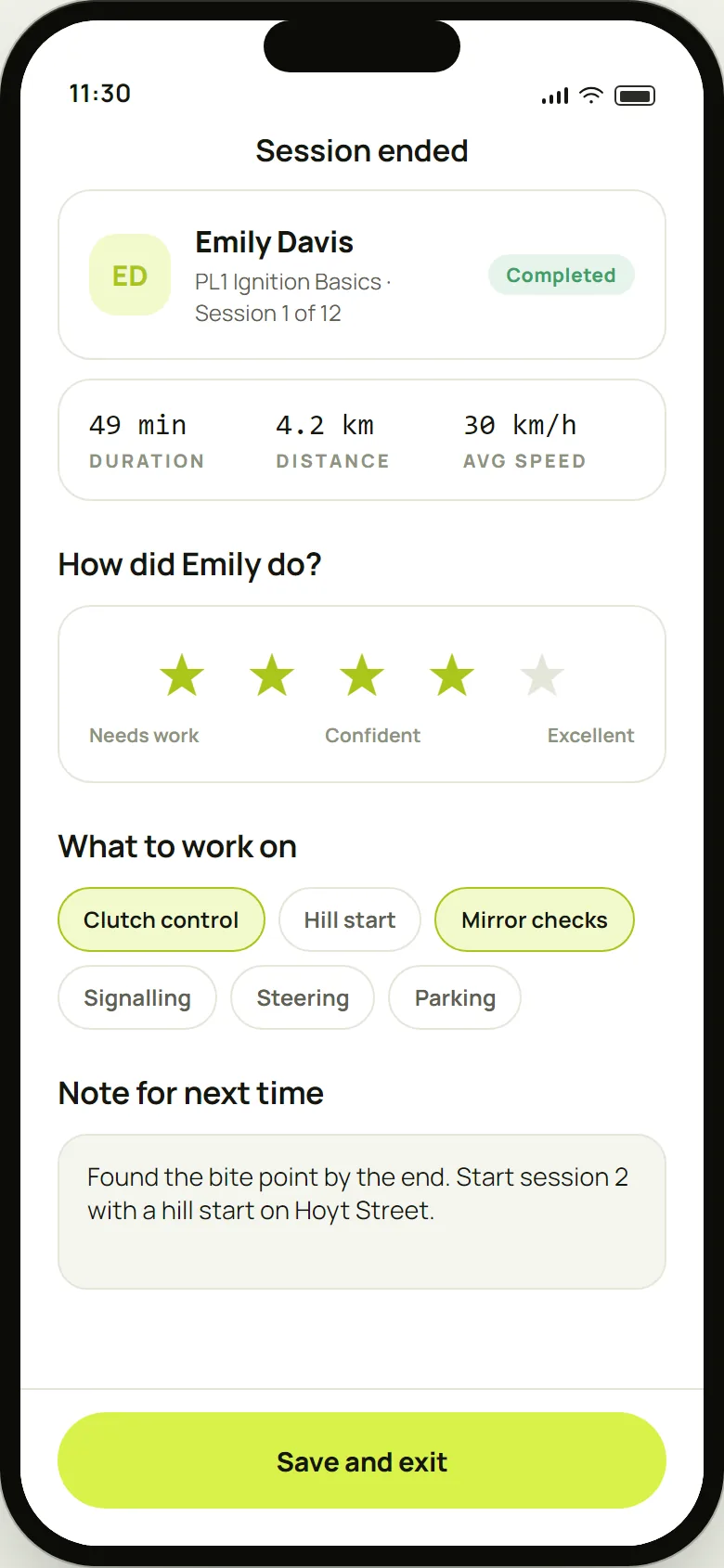
On the original flow, the instructor can begin the lesson or mark the learner absent. Beginning opens the map. Ending the session leads to a performance rating. The updated lesson is intended to be visible from the supervisor’s student record.
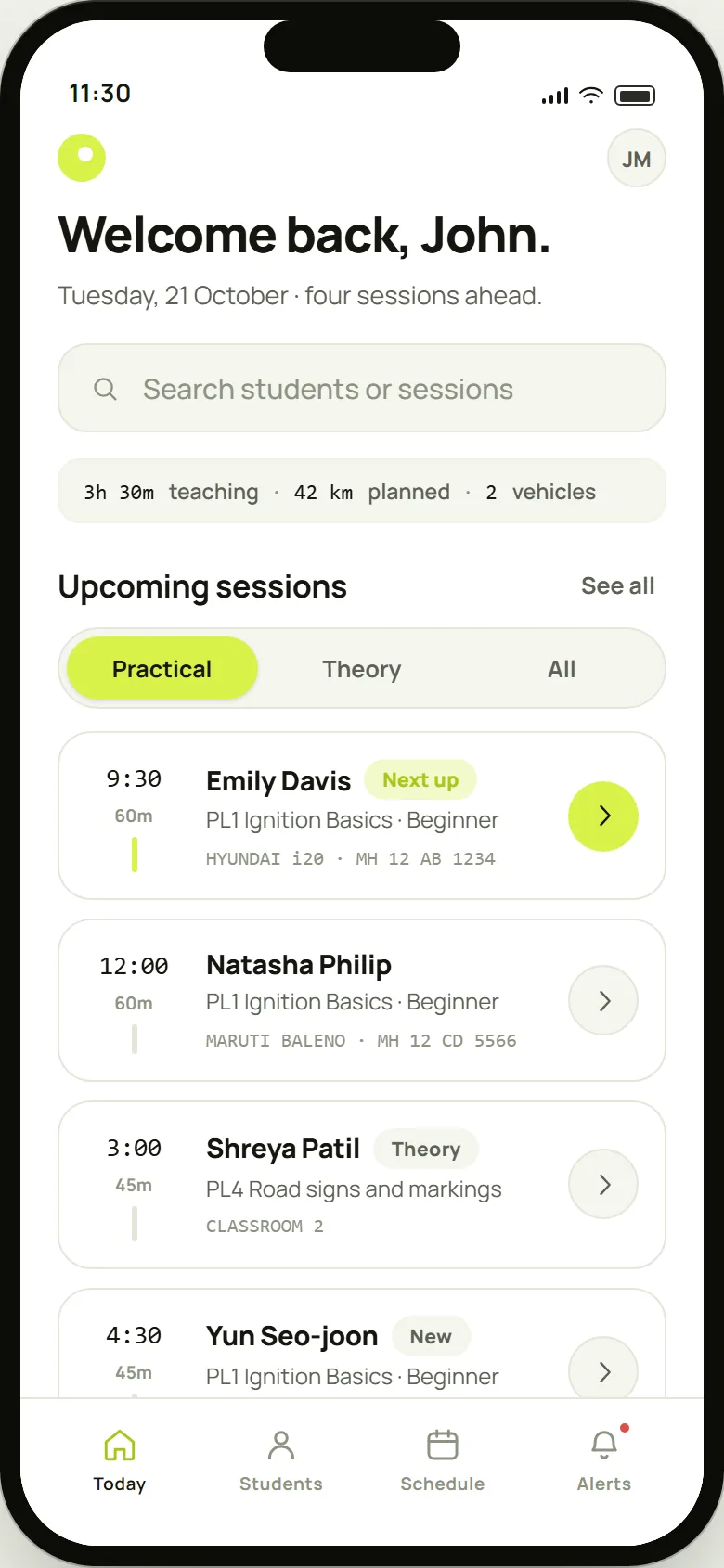
The original design opened lesson details five minutes before start time and offered a Simulation filter. The Lane preview shows Practical, Theory and All.
Mobile App UI
Lane Instructor is the mobile prototype for Steer. The instructor can see the day’s lessons, check the next learner’s details and close out the session without saving paperwork for the end of the day.
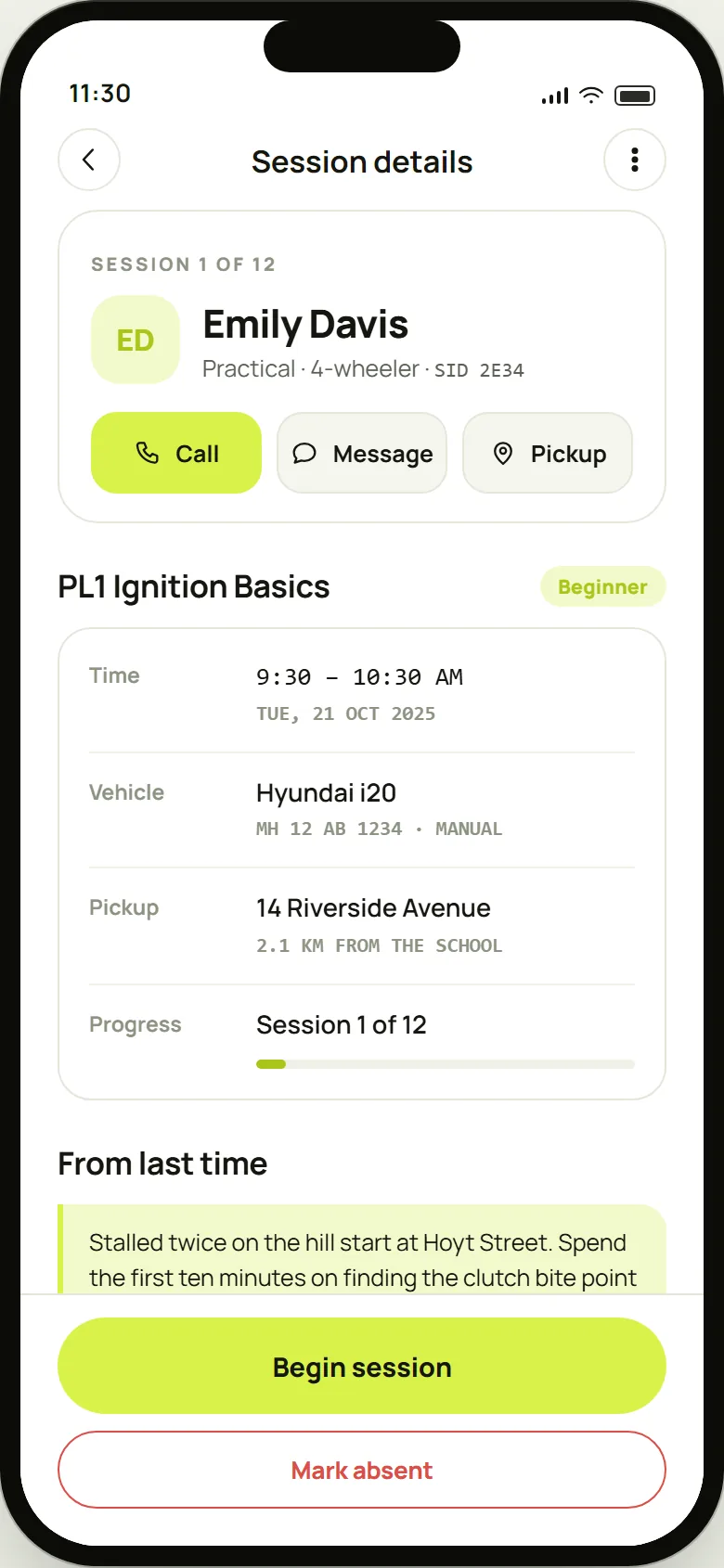
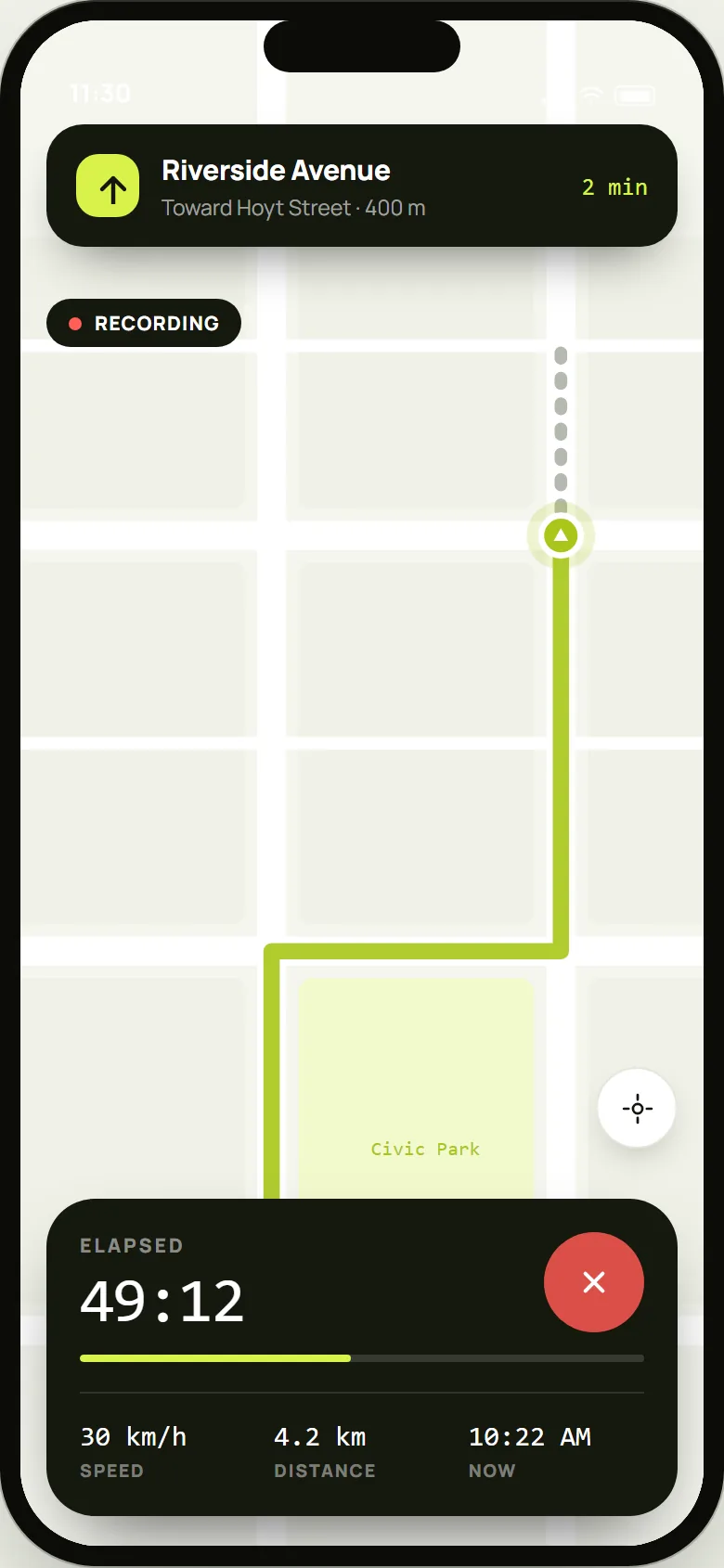
Tracking boundary. Lane explains that location recording begins with the lesson and ends when the instructor stops it. The instructor can see when recording is active. What the school can retain and who can access it still need to be agreed with instructors.
After the Lesson
The close-out turns a completed drive into something the instructor can use to teach the next lesson.
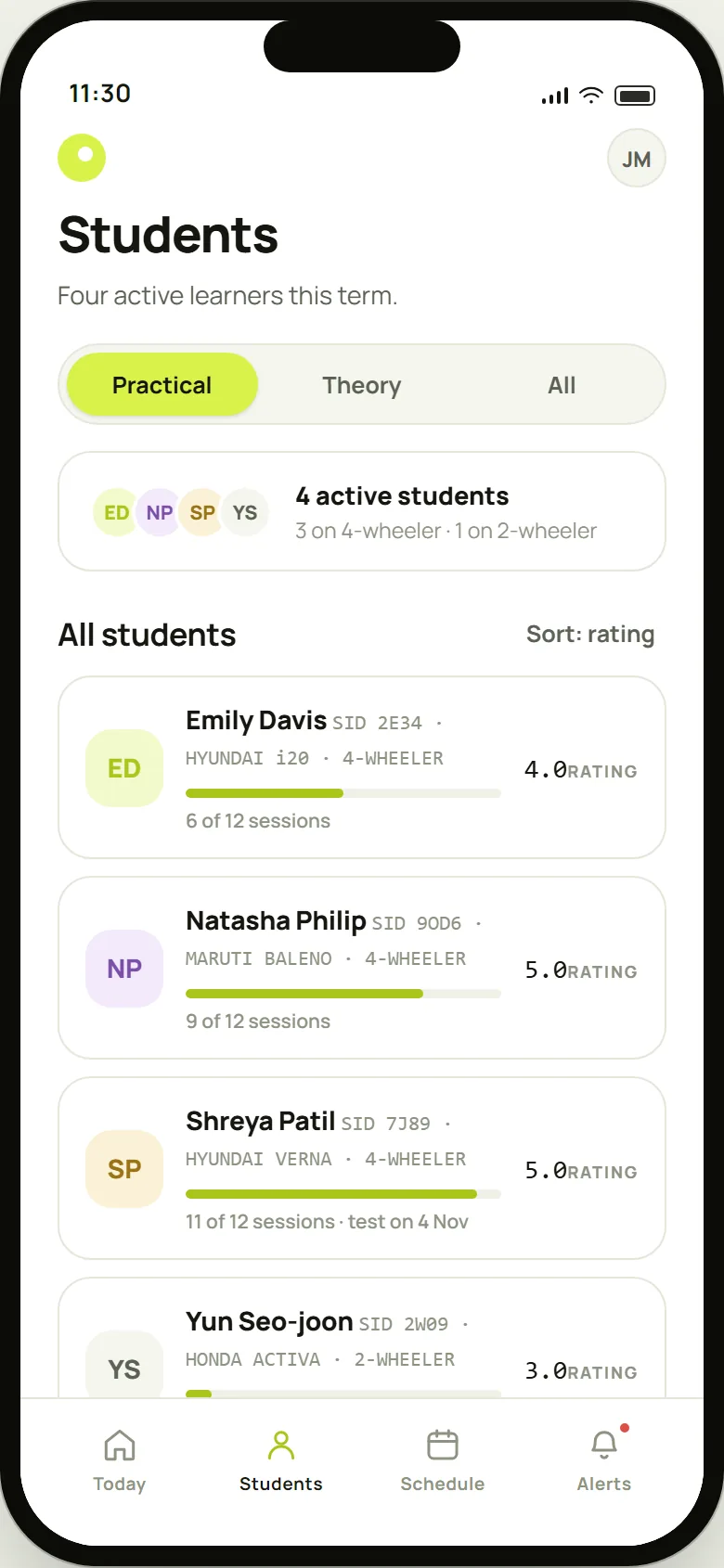
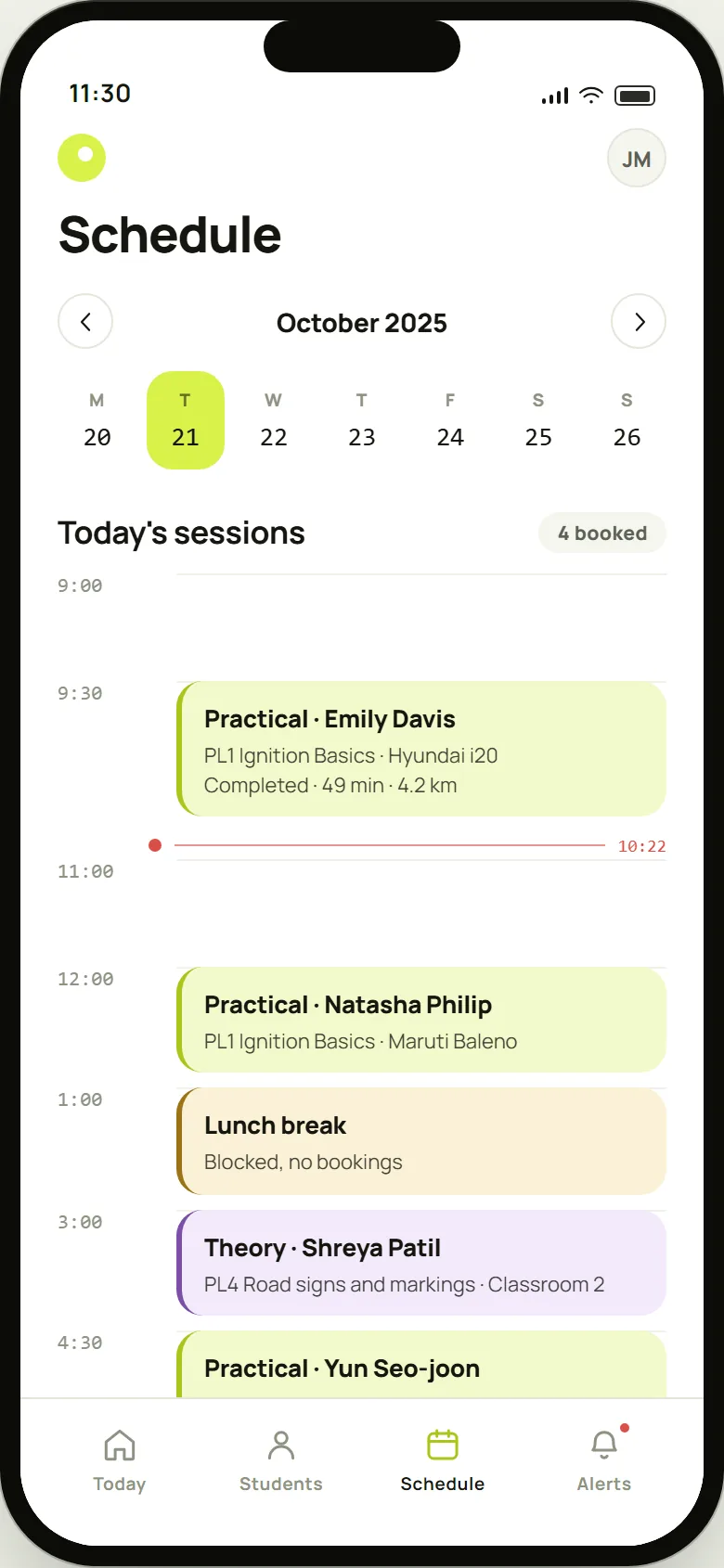
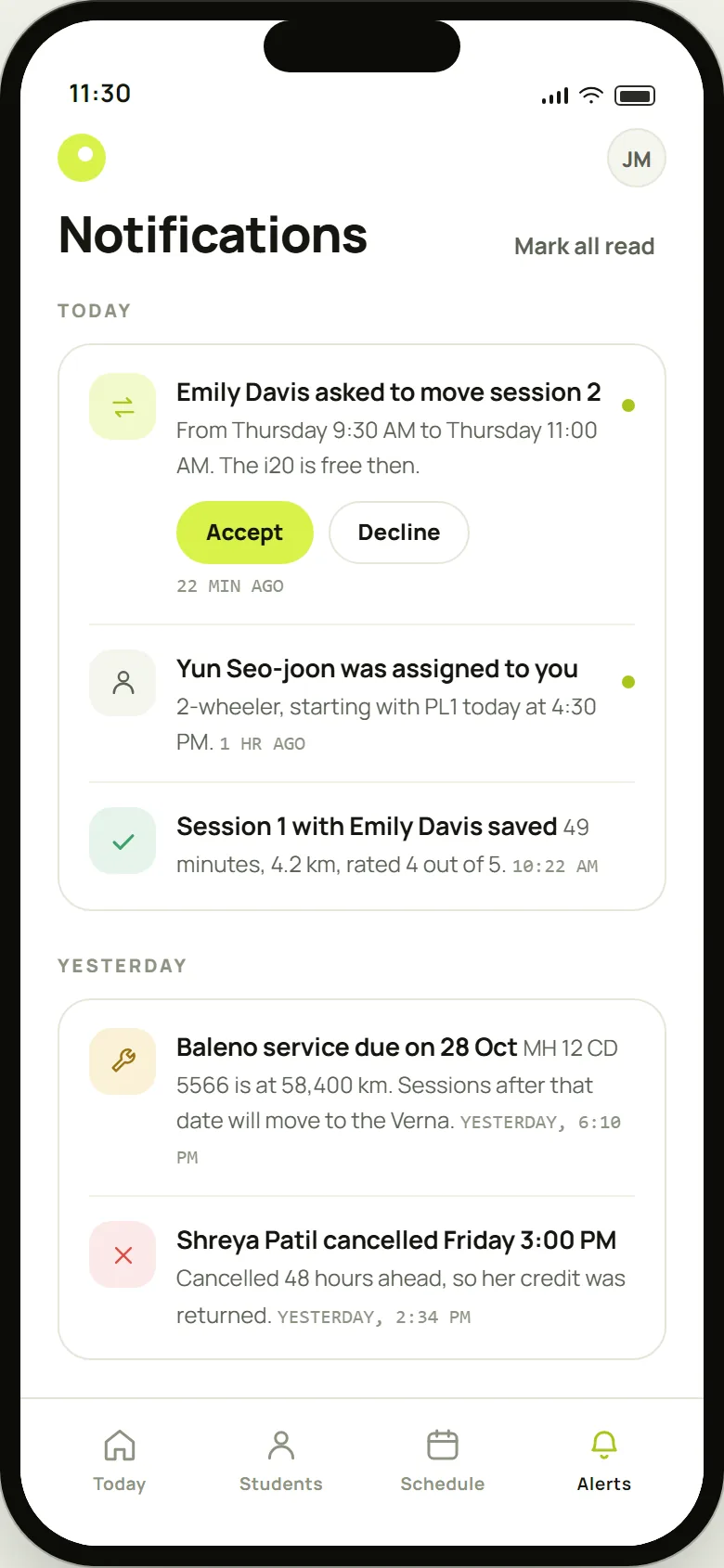
Instructor Onboarding
Lane adds setup before the first lesson. It collects the instructor’s details, vehicles and teaching hours, then explains why the app asks for location and reminder permissions.
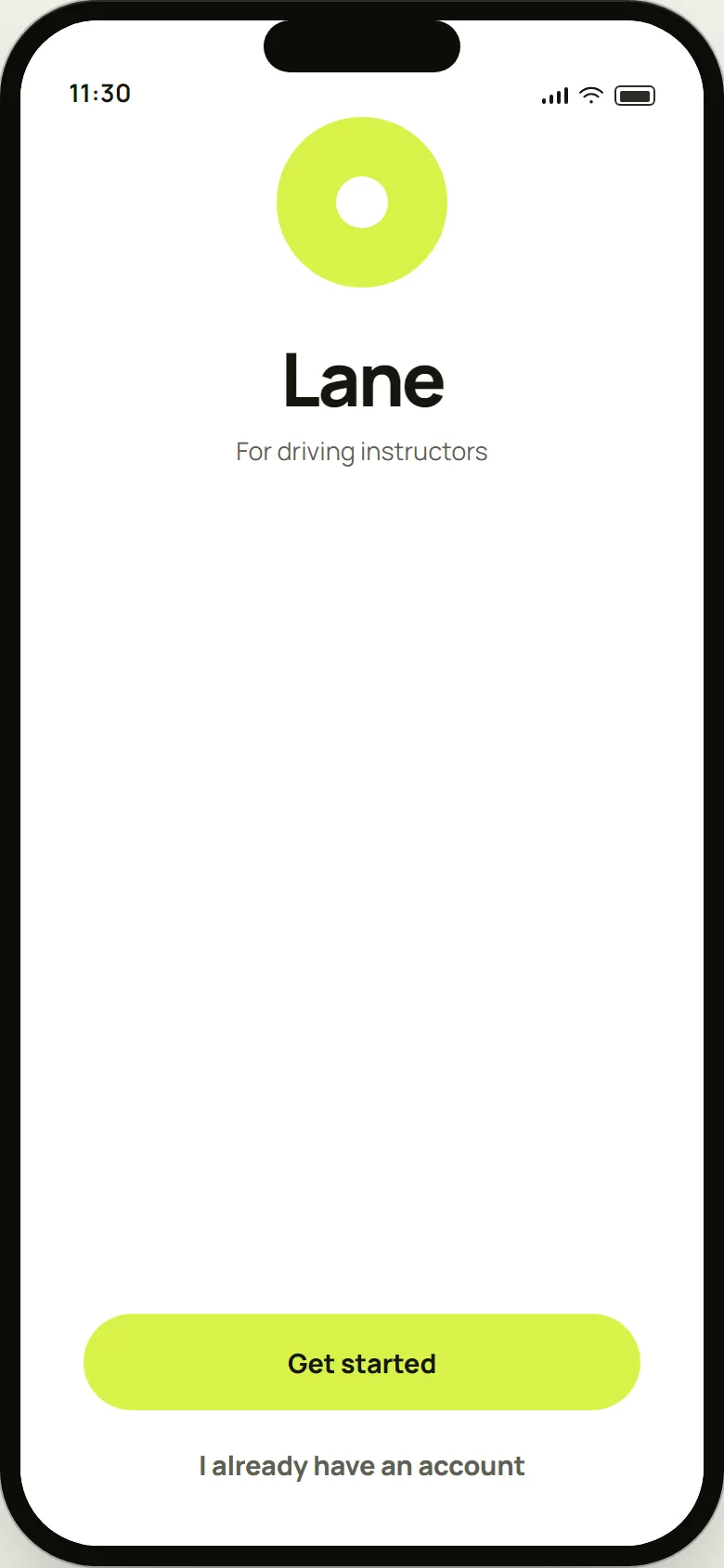
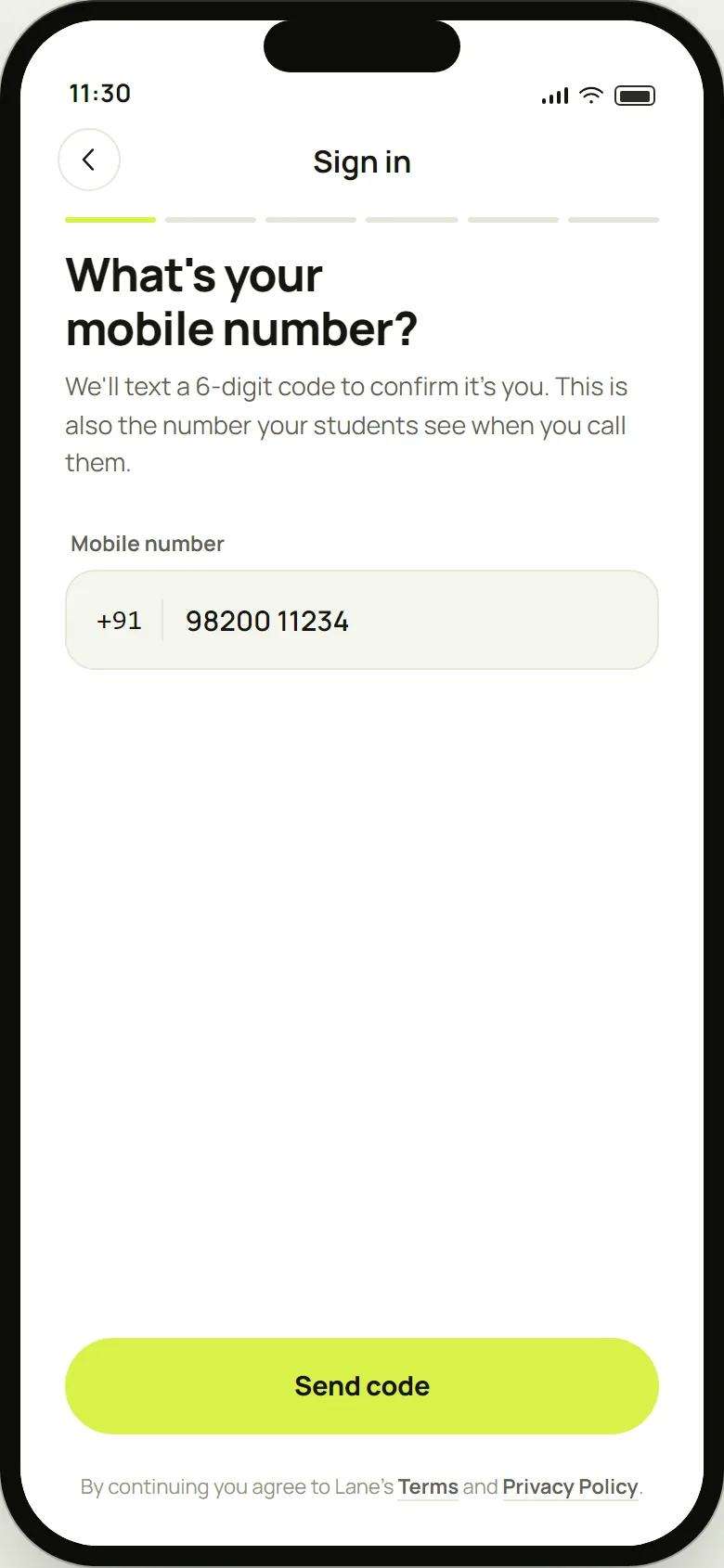
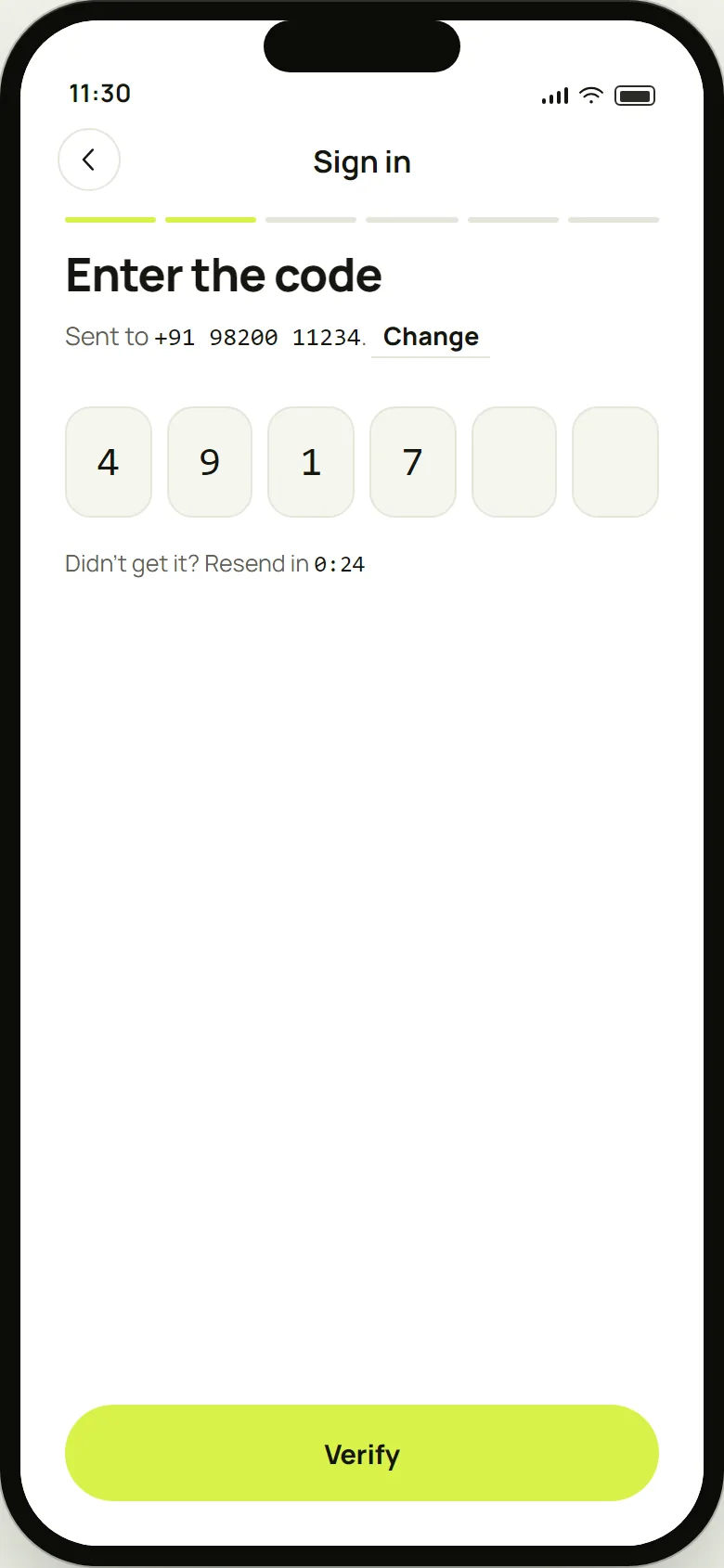
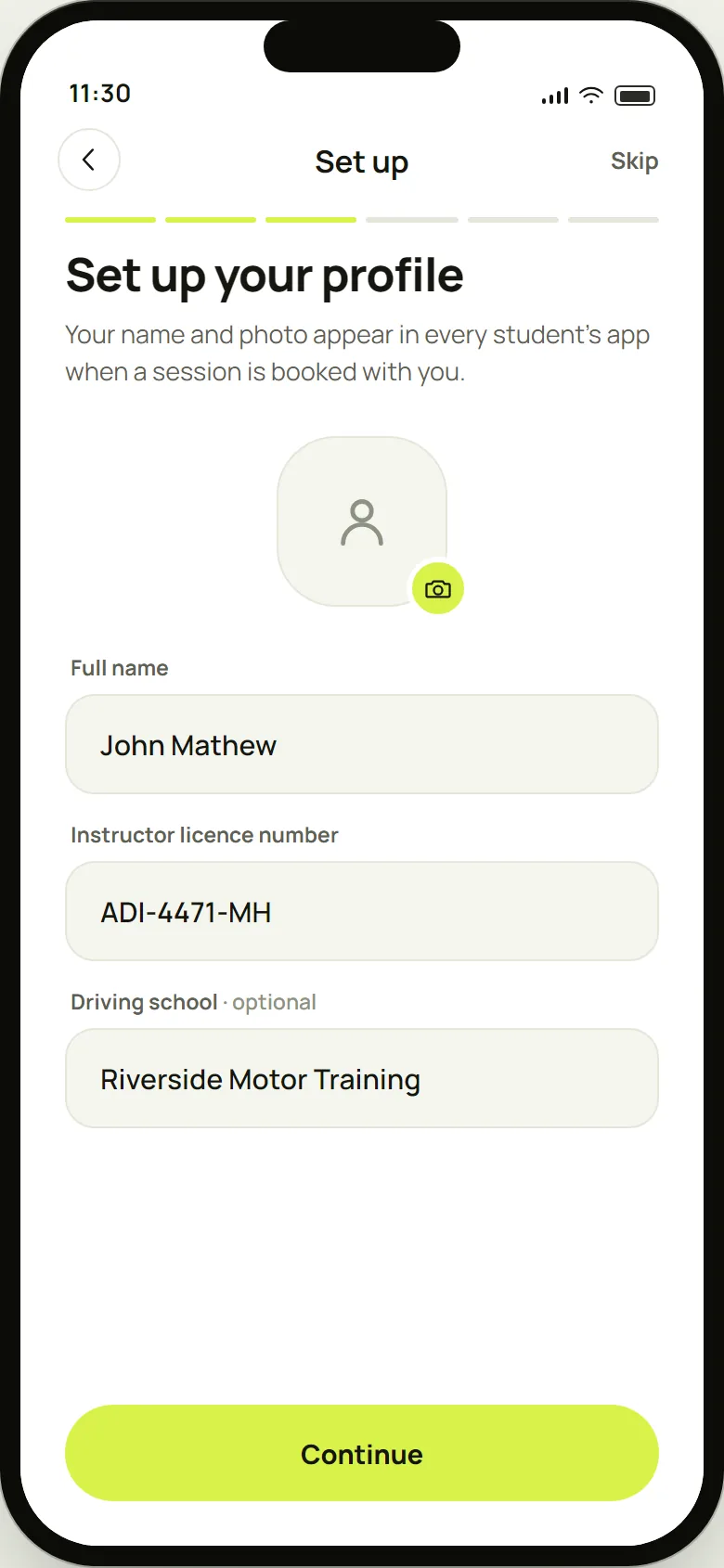
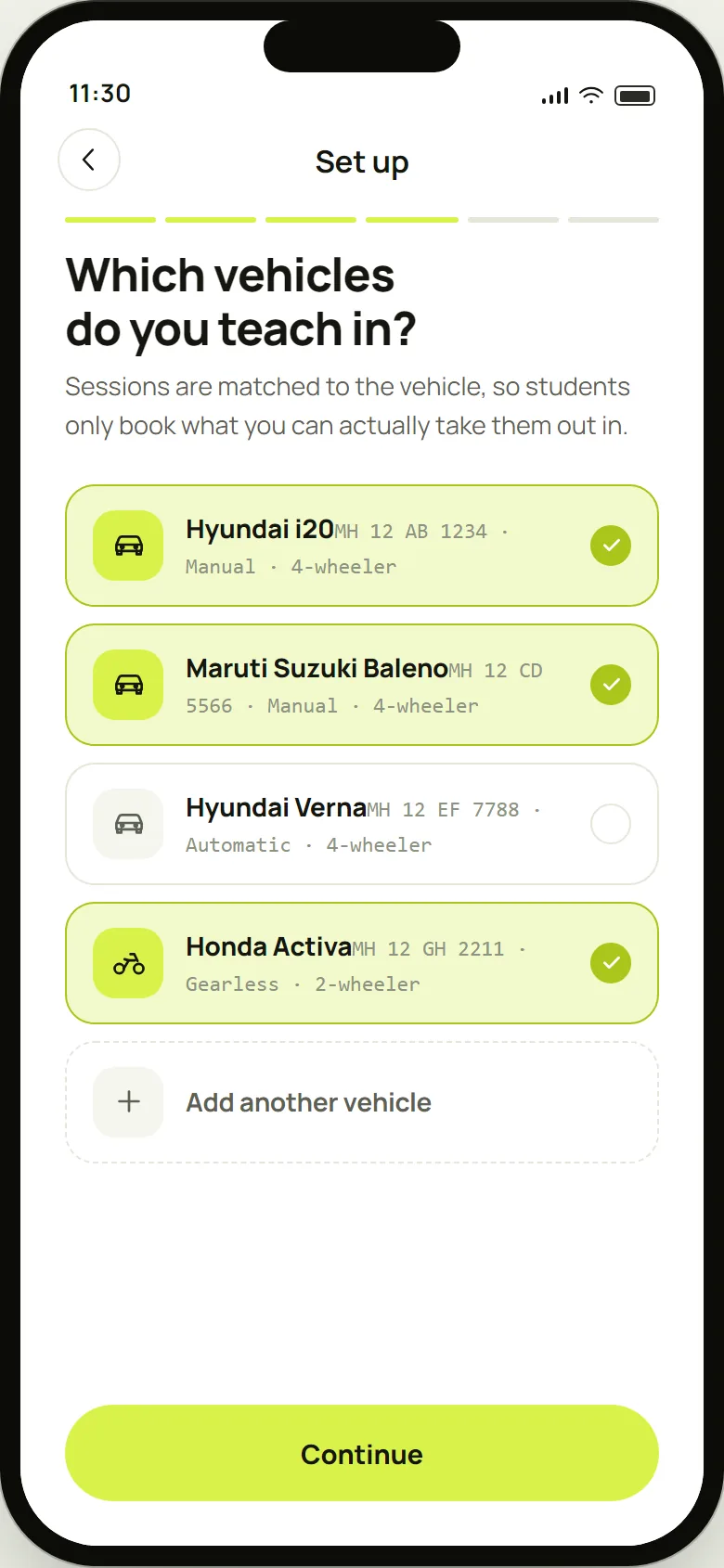
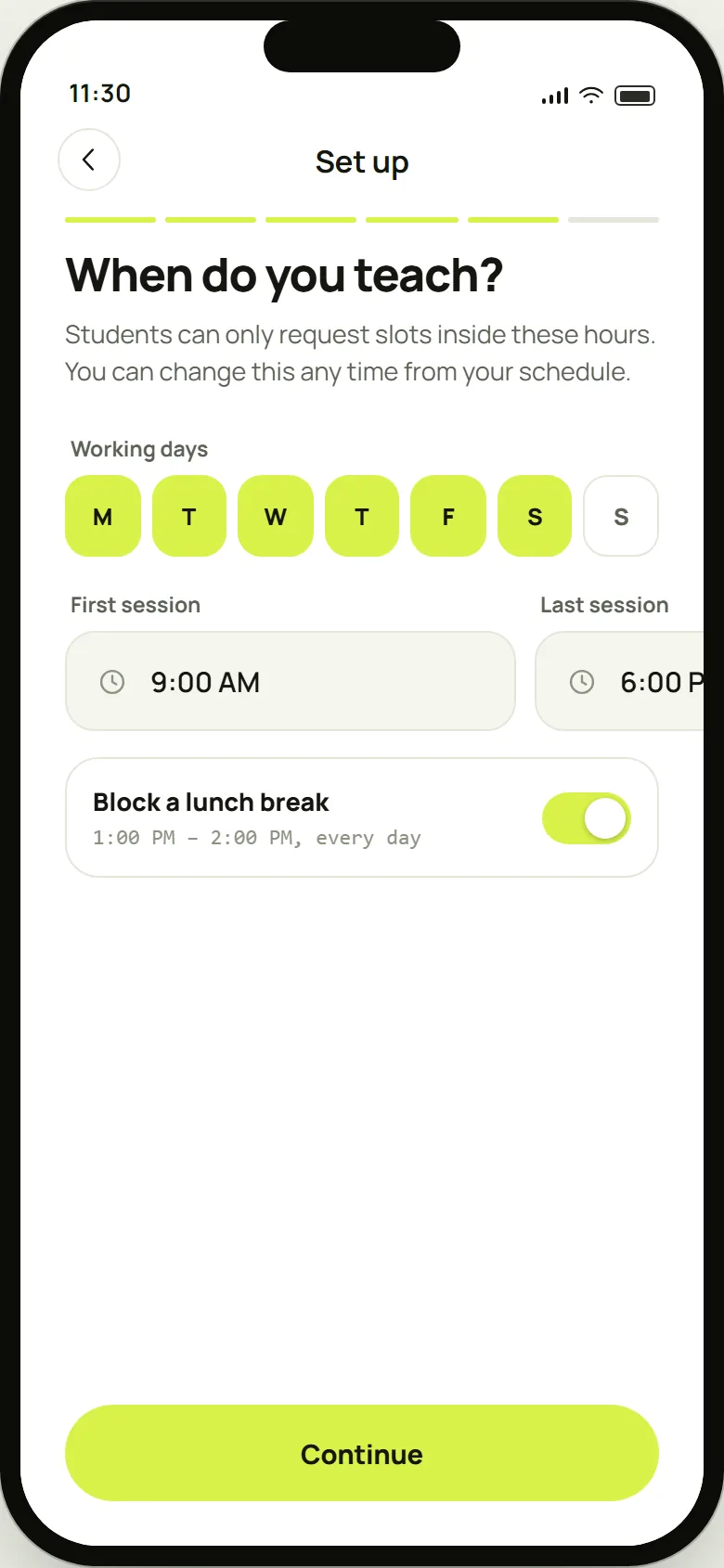
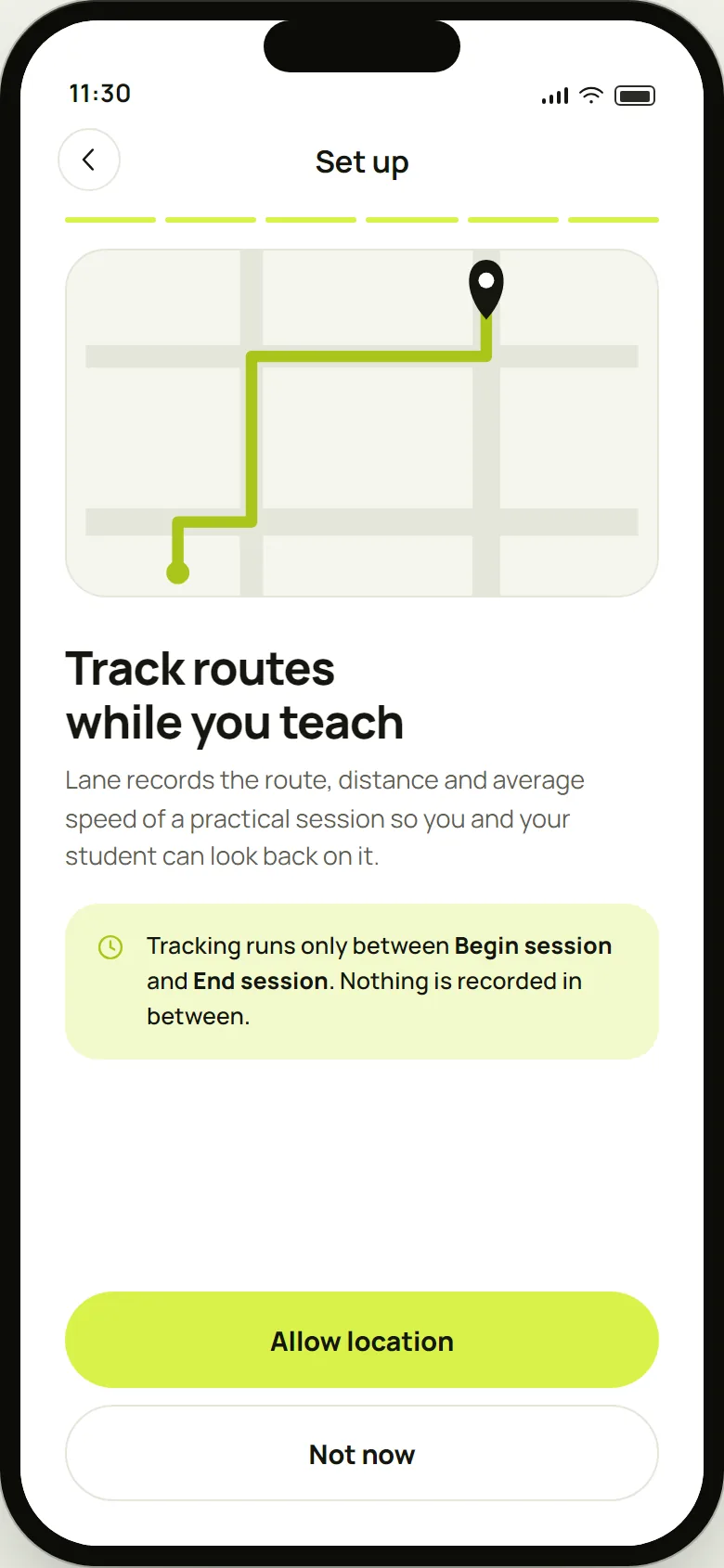
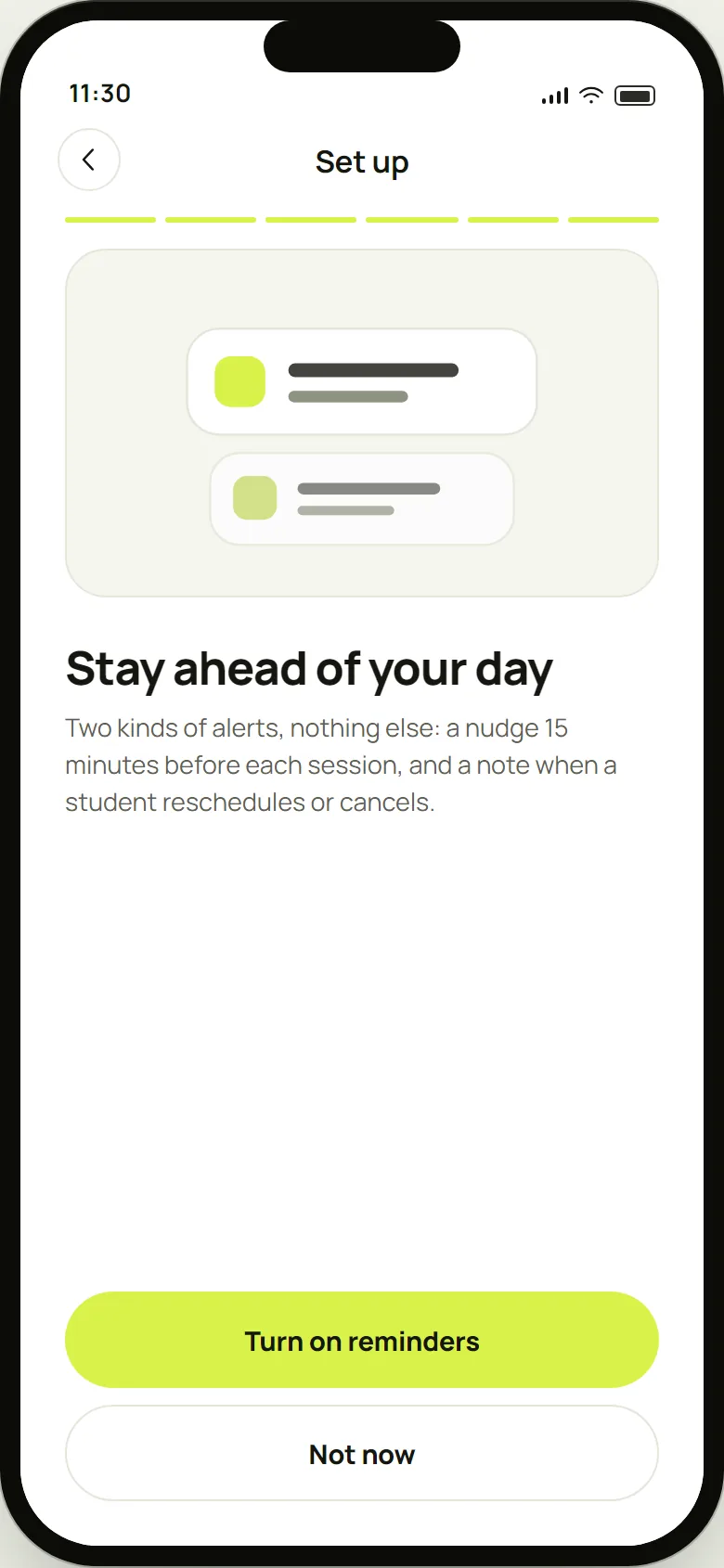
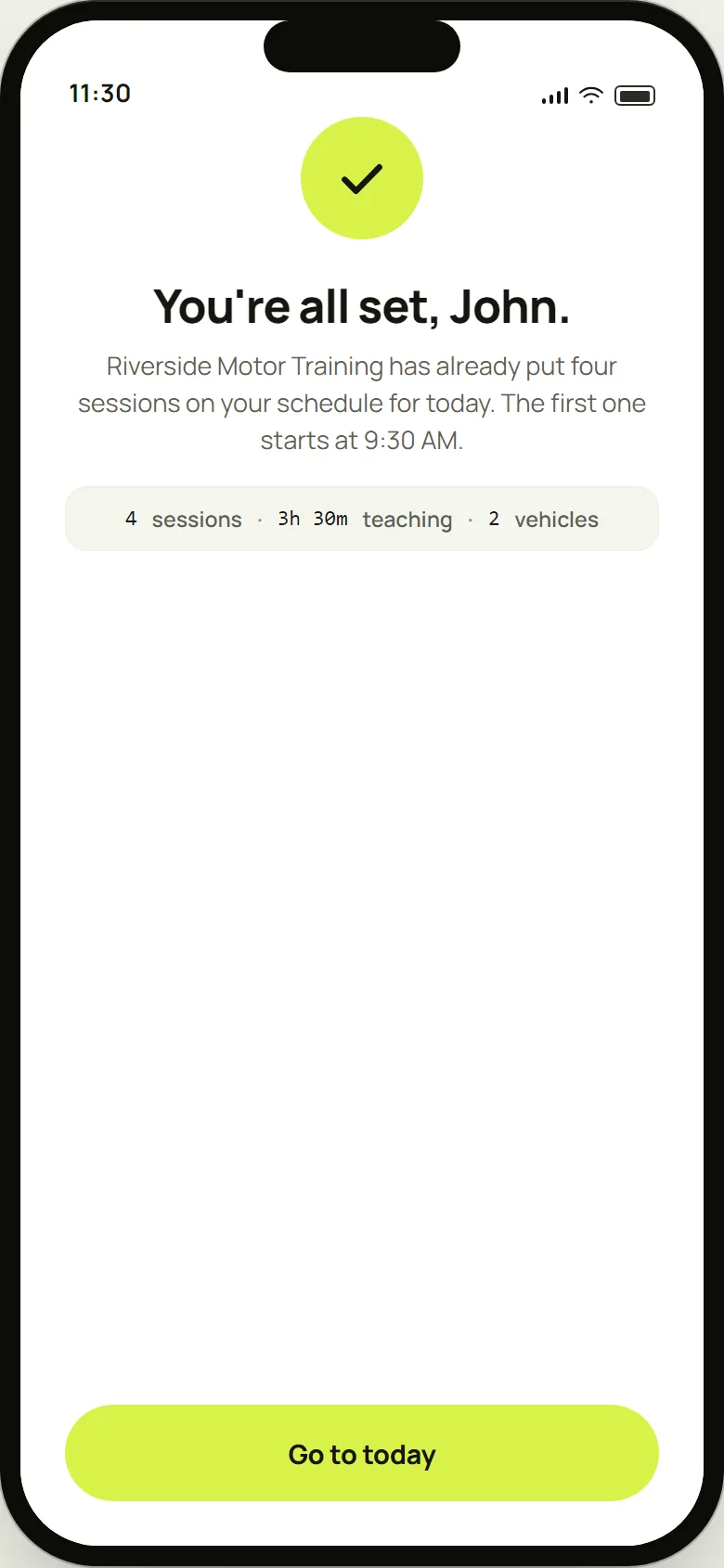
The location screen explains the session boundary before the permission request. The instructor can also choose to set up location access or reminders later.
Key Takeaways
The two interfaces changed how I think about the handoff between office work and field work.
Design for both sides of the handoff.
Fees and progress matter to the business. The instructor needs a quick way to update the lesson that feeds those records.
Start with the context of use.
A supervisor can scan several sessions. An instructor in a parked car needs one clear next step.
Work with habits already in place.
A pilot needs to account for how schools move from paper or Excel and how much training they can spare.
Research both roles.
Talking to managers and instructors showed where information got stuck between them.
Compare one paper-based and one Excel-based school with their own baselines. Measure time to locate an active session, morning calls, scheduling clashes, time to act on overdue items and instructor usage. Co-design tracking and test map labels and shapes before piloting.